> ## Documentation Index
> Fetch the complete documentation index at: https://notes.chaicode.com/llms.txt
> Use this file to discover all available pages before exploring further.
# Git behind the scenes
> Learn behind the scenes of git and how it works
Git is a version control system that allows you to track changes to your files and folders. It is a powerful tool that can help you manage your code more effectively. In this section, we will explore the basics of how git works internally.
## Git Snapshots
A git snapshot is a point in time in the history of your code. It represents a specific version of your code, including all the files and folders that were present at that time. Each snapshot is identified by a unique hash code, which is a string of characters that represents the contents of the snapshot.
A snapshot is not an image, it's just a representation of the code at a specific point in time. Snapshot is a loose term that is used when git stores information about the code in a locally stored key-value based database. Everything is stored as an object and each object is identified by a unique hash code.
## 3 Musketeers of Git
The three musketeers of git are:
* Commit Object
* Tree Object
* Blob Object
## Commit Object
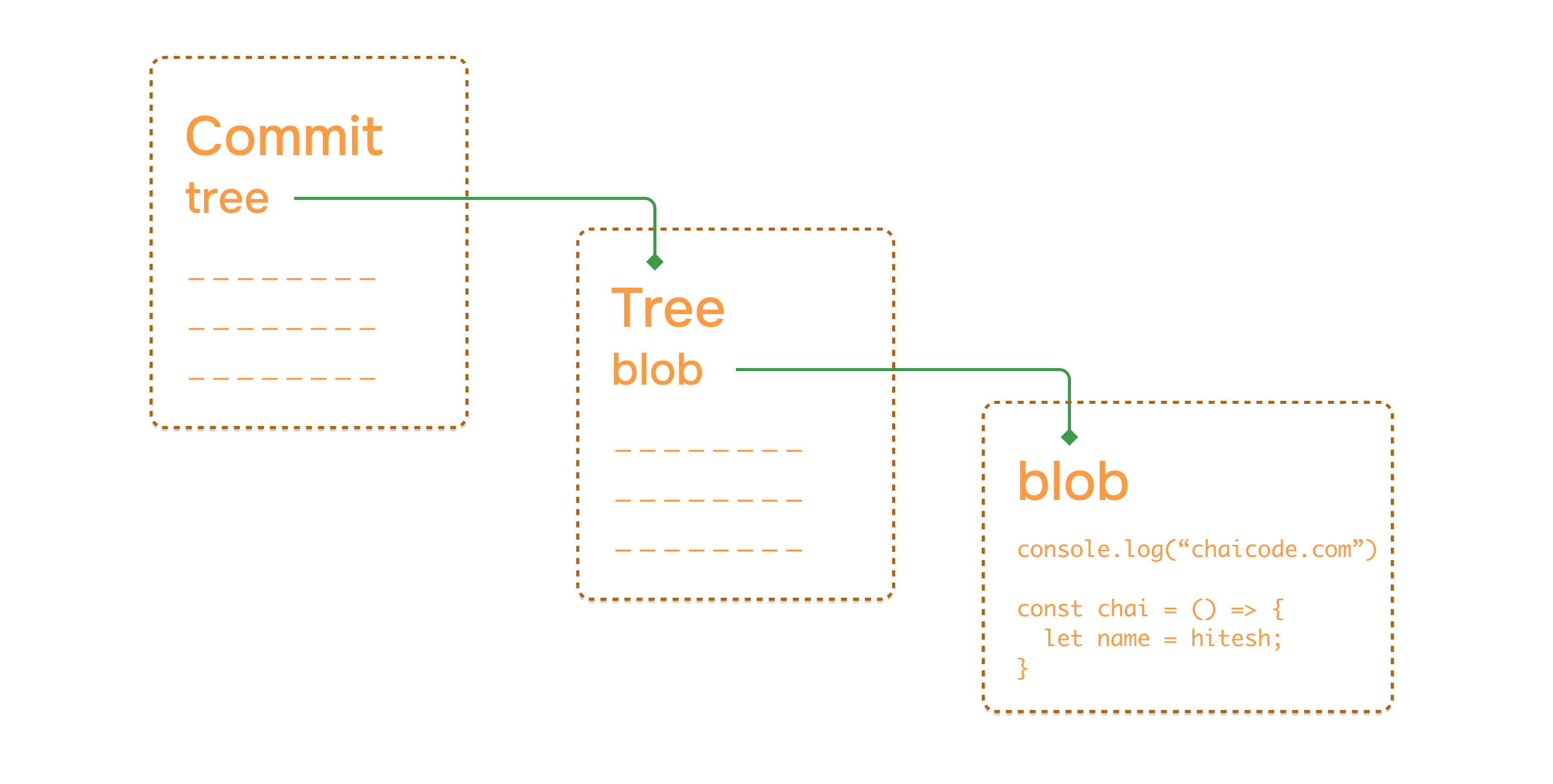
Each commit in the project is stored in `.git` folder in the form of a commit object. A commit object contains the following information:
* Tree Object
* Parent Commit Object
* Author
* Committer
* Commit Message
## Tree Object
Tree Object is a container for all the files and folders in the project. It contains the following information:
* File Mode
* File Name
* File Hash
* Parent Tree Object
Everything is stored as key-value pairs in the tree object. The key is the file name and the value is the file hash.
## Blob Object
Blob Object is present in the tree object and contains the actual file content. This is the place where the file content is stored.
 ## Helpful commands
Here are some helpful commands that you can use to explore the git internals:
```bash theme={null}
git show -s --pretty=raw
```
Grab tree id from the above command and use it in the following command to get the tree object:
```bash theme={null}
git ls-tree
```
Grab tree id from the above command and use it in the following command to get the blob object:
```bash theme={null}
git show
```
Grab tree id from the above command and use it in the following command to get the commit object:
```bash theme={null}
git cat-file -p
```
Learn how to work with branches
## Helpful commands
Here are some helpful commands that you can use to explore the git internals:
```bash theme={null}
git show -s --pretty=raw
```
Grab tree id from the above command and use it in the following command to get the tree object:
```bash theme={null}
git ls-tree
```
Grab tree id from the above command and use it in the following command to get the blob object:
```bash theme={null}
git show
```
Grab tree id from the above command and use it in the following command to get the commit object:
```bash theme={null}
git cat-file -p
```
Learn how to work with branches